| How to Find the Registered Owner (The Harder Path) Alright. Let's say you've done all the free stuff and you still need to know who owns or owned this vehicle. Here's what your options look like. Request Through the DMV In most states, you can submit a formal request to the DMV for vehicle registration records. You'll need to:
- Fill out a specific form (varies by state)
- Provide a permissable purpose under DPPA (like a pending lawsuit, insurance claim, or vehicle purchase)
- Pay a small fee (usually $5–$20)
- Wait several days to weeks for a response
This is the most legitimate route. It's slow, but it works if you have a valid reason. Hire a Licensed Private Investigator A licensed PI can access DMV records legally because they're recognized as a permissable user under DPPA. If you need owner info fast and you have a real reason — like a hit and run where the other driver fled — this is worth considering. It's not free (typically $50–$200+ for a basic search), but it's legal and often the most reliable option. Use a People Search Service Sites like BeenVerified, Spokeo, or TruthFinder let you run VIN searches that may reveal previous owner details. They aggregate data from public records, marketing databases, and other sources. These aren't technically free — they require a subscription or one-time fee. But they're cheaper than a PI and faster than a DMV request. Fair warning though: the data isn't always accurate. I've seen outdated addresses and old owner info on these platforms. Use them as a starting point, not a final answer. When You Might Need This Information (Real Scenarios) I want to talk about the why here, because it matters. Buying a used car — This is the most common reason. You want to make sure the seller actually owns the vehicle and that it doesn't have a shady history. Hit and run accidents — If someone hit your car and drove off, you may have caught a partial or full VIN. Law enforcement can run that for you, and you can also file a police report and let them handle the lookup. Inherited or abandoned vehicles — Sometimes a vehicle gets left on your property or willed to you without proper paperwork. A VIN lookup can help establish the chain of title. Buying at auction — Online auto auctions sometimes list VINs before the title transfers. Doing a VIN check beforehand can save you from buying a lemon or a stolen vehicle. Reconnecting for warranty or recall reasons — If you sold a car and later found out there's a safety recall, you might want to notify the new owner. (A long shot, but people do try.) What to Watch Out For Not everything out there is trustworthy. A few things to keep in mind:
- Avoid sites that ask for payment upfront with no clear info about what you'll get. Legit services tell you what's in the report before you pay.
- Be skeptical of sites claiming to give full owner personal data for free. Thats almost never true for current owners, and if a site is promising it, they're likely scraping sketchy data or outright lying.
- Check if a site is NMVTIS-approved. The DOJ maintains a list of authorized providers. Stick to those when possible.
Tips to Get the Most Out of a Free VIN Search Here's what I've learned from doing this more times than I care to admit:
- Run the VIN through at least two or three sources. Different databases have different info.
- Write down every piece of info you find. Even small details can be useful later.
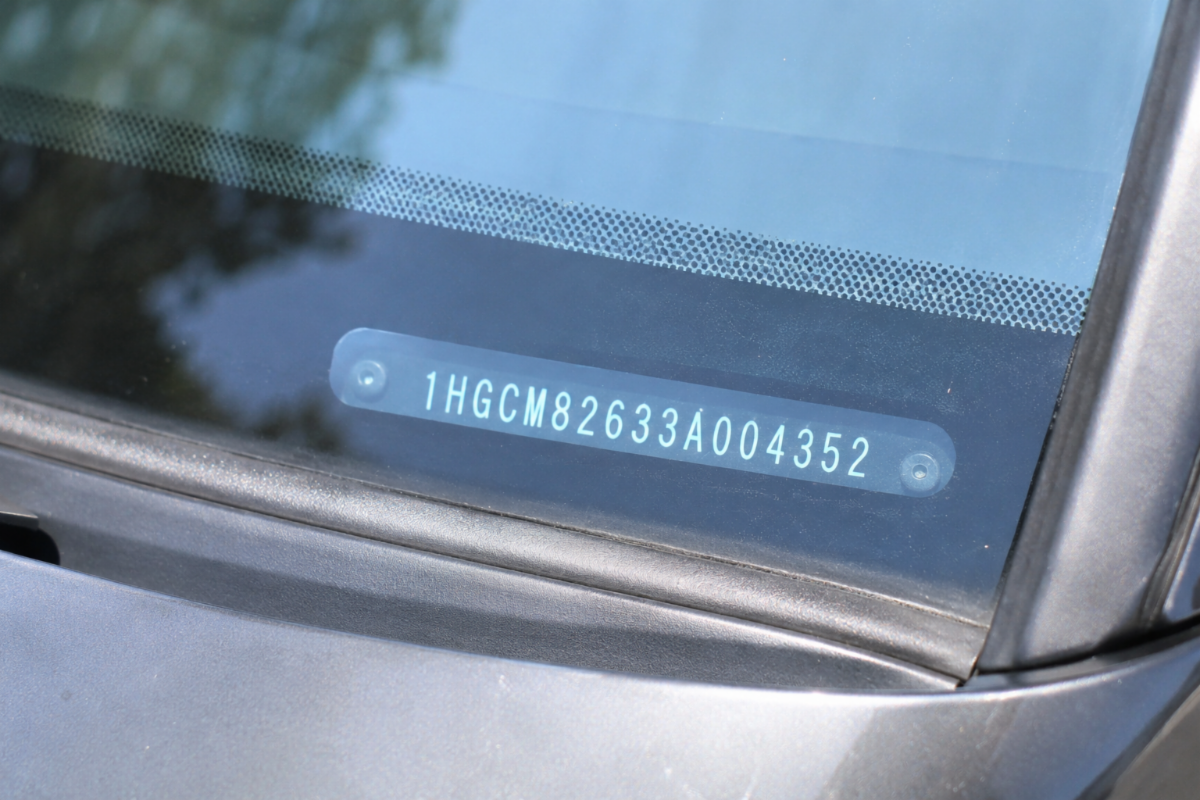
- Cross-reference the VIN with the physical vehicle. Make sure the VIN on the dashboard matches the one on the title and door jamb. Mismatches are a huge red flag.
- Check for open recalls every time. Even on cars you already own. NHTSA's tool is free and takes 30 seconds.
Conclusion Finding a vehicle owner by VIN number for free is definitely possible — but it comes with limits. The free tools out there are genuinely useful for checking a vehicle's history, title status, accident records, and recall information. That covers a lot of ground for most situations, especially if you're buying a used car. But if you need a current owner's personal contact information, you're going to hit a wall pretty quickly. That's by design, thanks to federal privacy protections. Your best bet in that case is going through official channels — the DMV, law enforcement, or a licensed investigator. My advice? Start with the free options. Use NHTSA, VinCheck, and your state's DMV site. Then decide from there if you need to dig deeper. Most of the time, you'll get what you need without spending a dime. And always — always — run a VIN check before buying a used vehicle. It takes five minutes and can save you thousands. Frequently Asked Questions (FAQs) Q: Can I find out who owns a car by the VIN number for free? Finding the current registered owner's name and address for free is very difficult due to federal privacy laws. You can access vehicle history, title status, and other details for free, but personal owner information typically requires a formal DMV request or a paid service. Q: Is it legal to look up a VIN number? Yes, looking up a VIN number is completely legal. The vehicle history data tied to a VIN is considered public record. What's restricted is accessing the personal details of the registered owner without a valid legal reason. Q: How many digits is a VIN number? A VIN is always 17 characters long. It includes both letters and numbers, though it never includes the letters I, O, or Q (to avoid confusion with 1 and 0). Q: What is the best free VIN check website? For basic vehicle history, VinCheck.info (powered by NMVTIS) and the NHTSA VIN lookup tool are the most reliable free options. For more detail, iSeeCars and AutoCheck (when a free trial is available) are also good. Q: Can police find a car owner by VIN? Yes. Law enforcement has access to DMV records and can look up a vehicle's registered owner using the VIN. If you've been involved in an accident or crime, filing a police report is the fastest way to get that information through proper legal channels. Q: How do I check if a VIN has been reported stolen? The NMVTIS database includes theft records. You can check through VinCheck.info or other NMVTIS-approved providers for free. The National Insurance Crime Bureau (NICB) also offers a free VINCheck tool specifically for theft and salvage records. Q: What does a VIN number tell you? A VIN tells you the country and factory where the vehicle was made, the manufacturer, the vehicle type and model, the engine and transmission type, the model year, and the production sequence number. Combined with history databases, it also tells you about past owners, accidents, title changes, and recalls. |